How-to guide
How to use Mail the Neighbors after you finish a job
The neighbors watched you do the work. Here is how to put a postcard in their mailboxes in about two minutes.
The short version
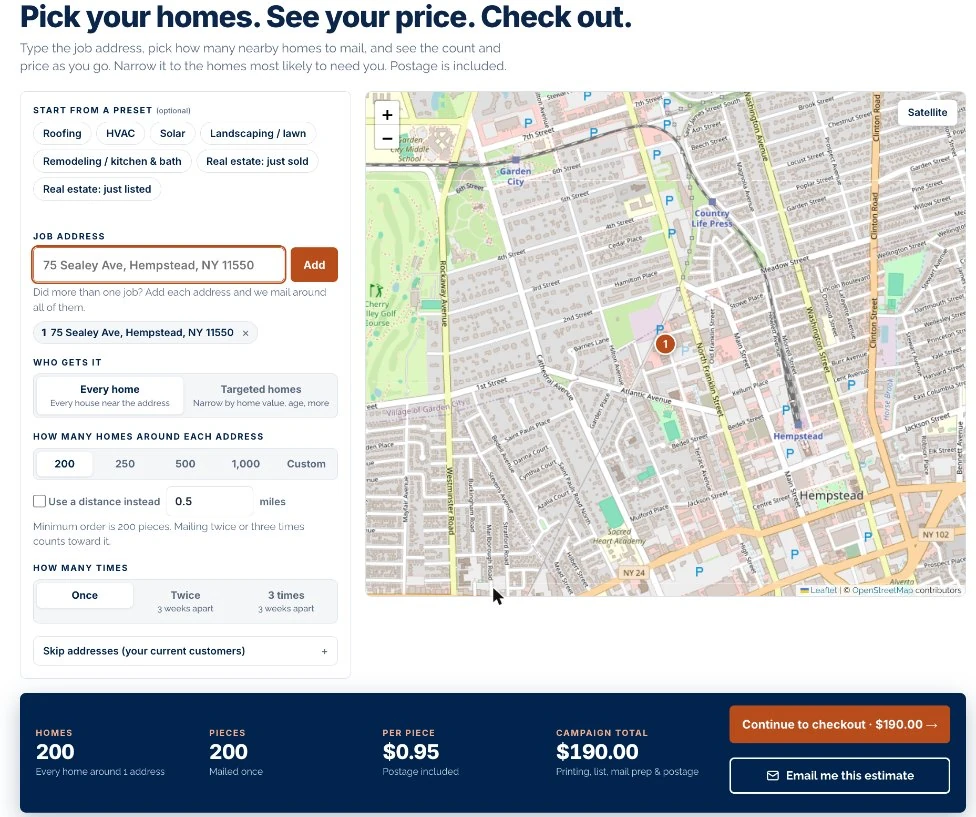
- Type the job address and the tool finds the homes around it
- 200 postcards cost $190 with printing, the list and postage included
- You can mail the same homes two or three times, three weeks apart
When you finish a roof, a driveway or a new lawn, the whole street has seen it. Those neighbors have the same kind of house and often the same problem. Mail the Neighbors puts your postcard in their mailboxes while the job is still fresh.
The seven steps
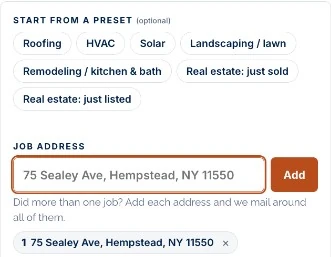
Start from a preset (optional)
Presets fill in the settings for common trades. Roofing picks the nearest 250 homes built before 1995. HVAC picks homes built before 2005. Landscaping picks single-family homes on lots of 0.15 acre or more. You can change anything afterward.
Type the job address
Enter the address where you just worked and click Add. A pin drops on the map. Finished more than one job? Add each address and we mail around all of them.
Choose every home or targeted homes
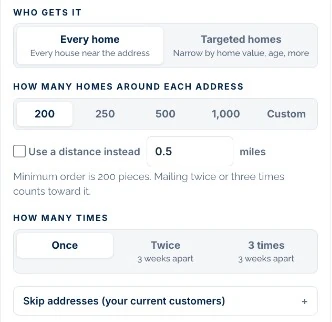
Every home mails the houses closest to the address. Targeted homes lets you narrow by home value, year built and more. Our targeting guide explains when each one makes sense.
Pick how many homes
Choose 200, 250, 500 or 1,000 homes around each address, or enter your own number. You can also switch to a distance in miles. The minimum order is 200 postcards.
Pick how many times
Mail once, twice or three times, with three weeks between mailings. Repeat mailings count toward the 200 minimum. We recommend reaching the same homes at least once a month.
Skip your current customers
Open Skip addresses and paste the addresses you do not want to mail. We replace each one with the next closest home, so you still get the full count.
Check the price and check out
The bar at the bottom shows homes, pieces, price per piece and the total. Click Continue to checkout to upload your artwork or add design help for $49.99.

Mail the street while the job is still fresh in everyone's mind.
What to put on the card
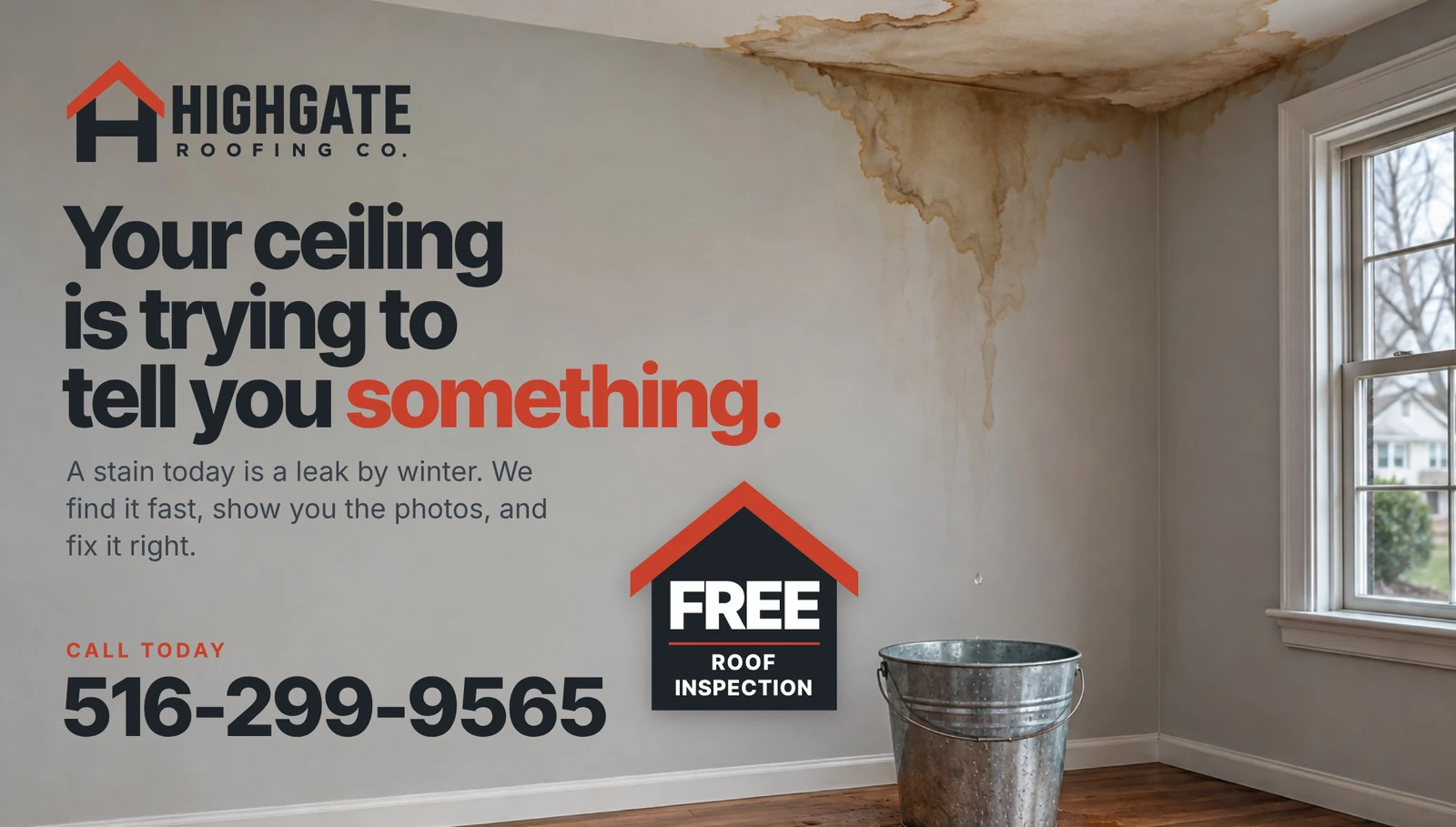
A neighbor card works best when it is plainly about their street. This sample does four things:
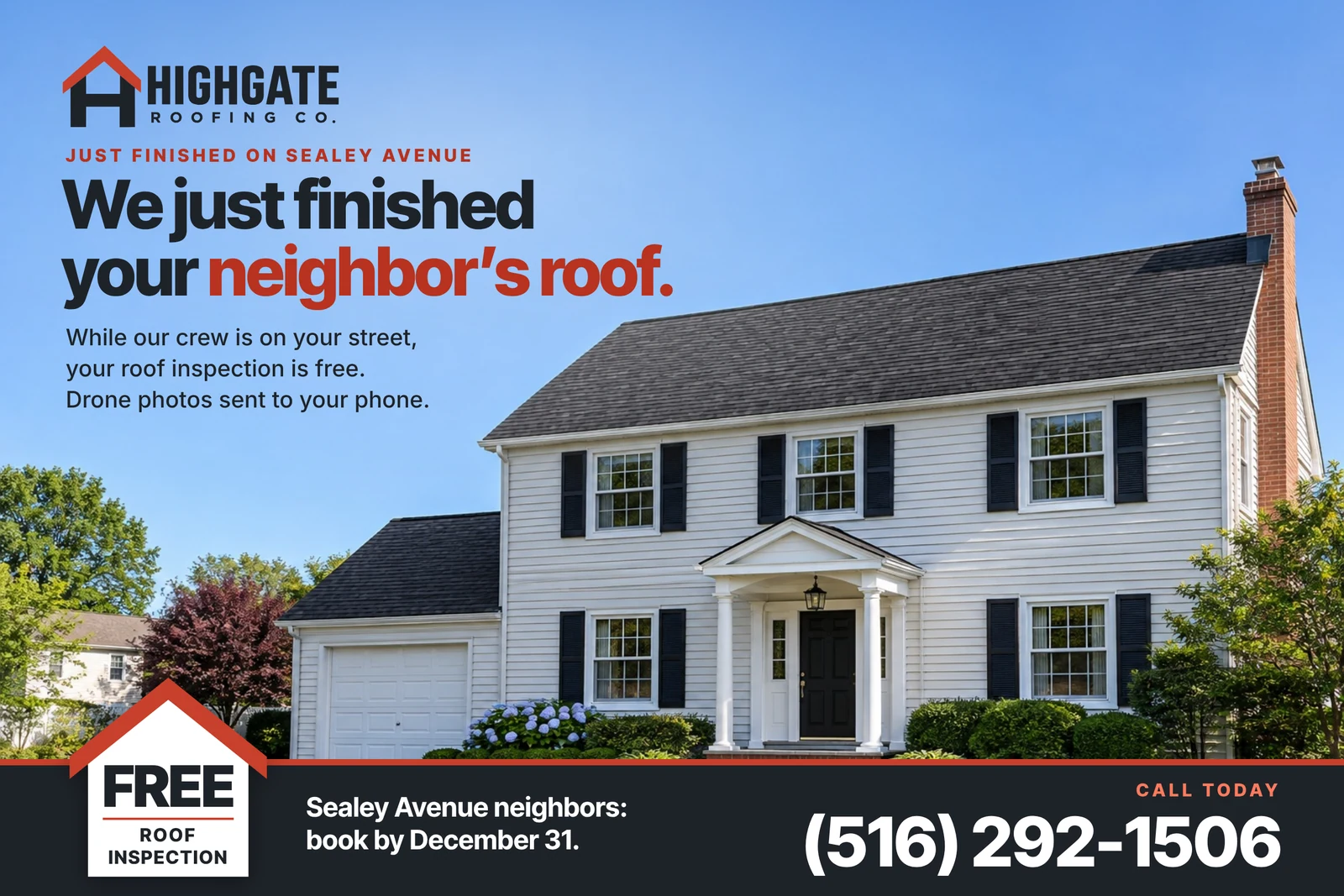
- Name the street or the neighborhood. "Just finished on Sealey Avenue" is more interesting than "Roofing services."
- Show the work. One strong photo of the finished job.
- Make one offer. A free inspection with a deadline gives them a reason to call now.
- Print one phone number, large.
The mail side
One side of the card carries the address. Keep that panel white and leave it empty. On this sample the panel holds three things:
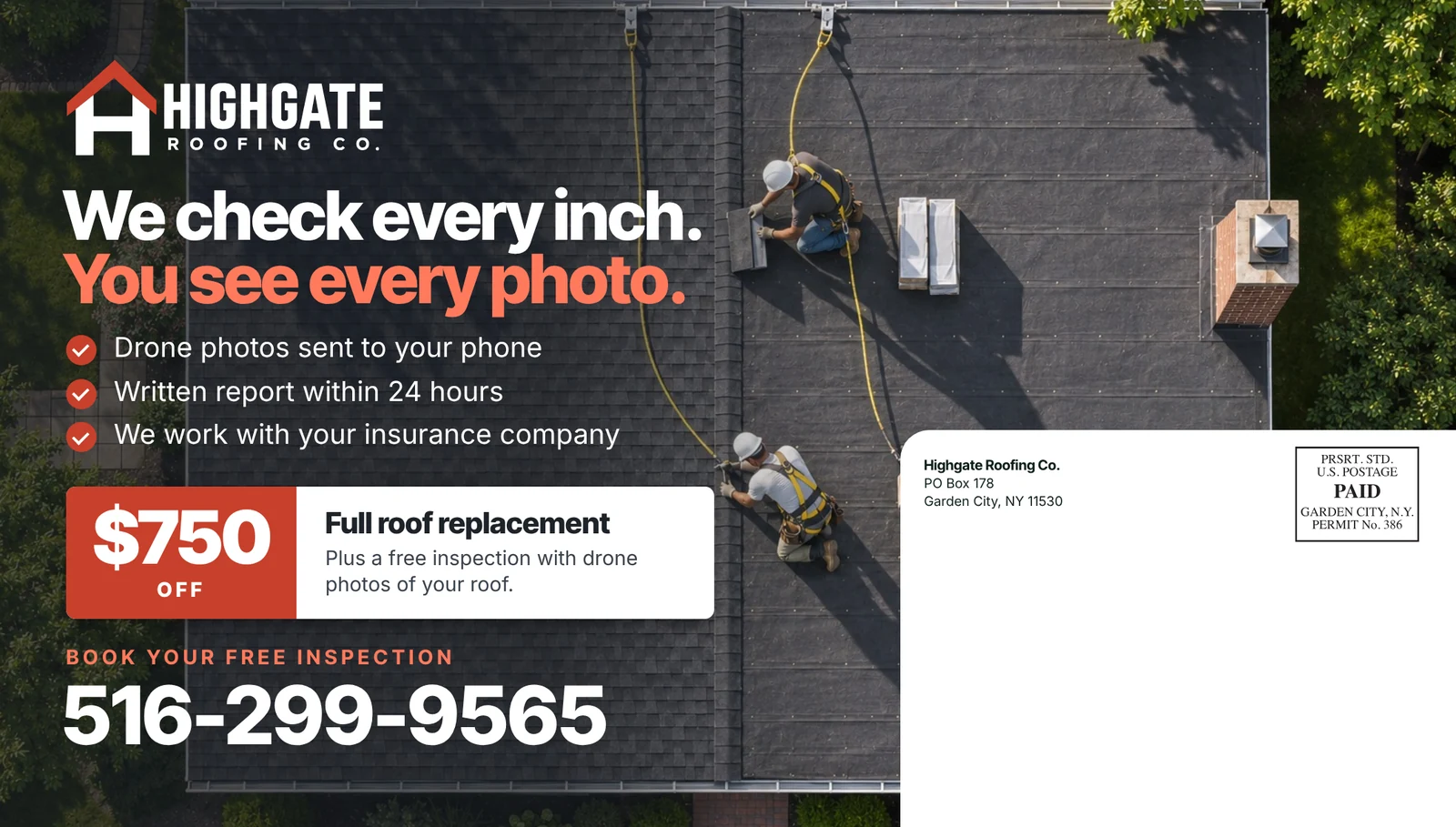
- Return address. Your company name and mailing address.
- Postage mark. Postage is included in your price, so there are no stamps to buy.
- The neighbor's address. We print one on every card. Leave this space blank.
Everything outside the panel is yours to design. This card uses the space for three reasons to call, an offer and the phone number.
What it costs
Mailing every home starts at 200 postcards for $190, which is $0.95 each. Targeted homes cost a little more per piece: 250 targeted homes came to $1.05 each when we priced this example. Printing, the mailing list, mail prep and postage are all included. Design and sales tax are extra.