How-to guide
How to use the EDDM route map, step by step
Pick the streets you want on a map, see the price as you click, and check out. Here is every step, with a real example from Long Island.
The short version
- You need a ZIP code, not a mailing list
- The count and the price update with every route you click
- Printing takes 2 business days after you approve the proof
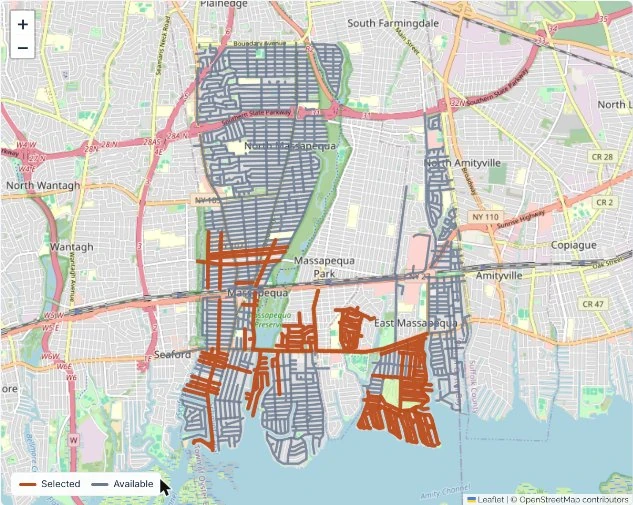
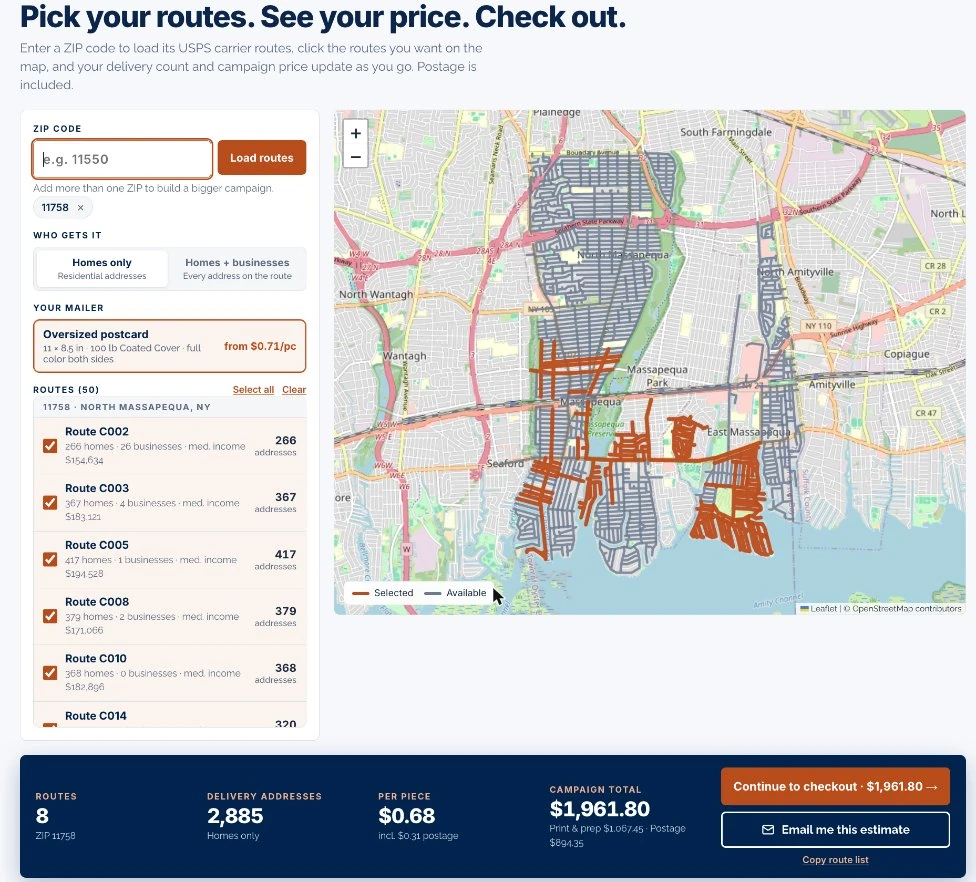
The EDDM route map is the fastest way to plan a neighborhood mailing. You do not need a list, a permit or a trip to the post office. This guide walks through one real example: eight carrier routes in North Massapequa, ZIP 11758.
The six steps
Enter a ZIP code
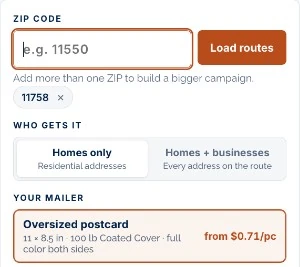
Type the ZIP you want to reach and click Load routes. Every USPS carrier route in that ZIP appears on the map and in a list below. To build a bigger campaign, add a second or third ZIP the same way.
Choose who gets it
Homes only sends to residential addresses. Homes + businesses adds every business on the route. In our example that added 36 addresses. Choose businesses only if you sell to them.
Click the routes you want
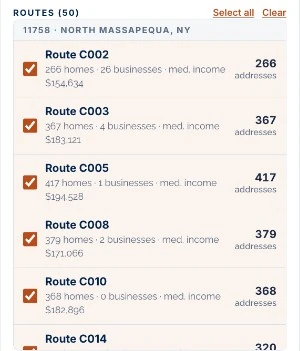
Click a route on the map, or tick it in the list. Each route shows how many homes and businesses it holds and the median household income, so you can compare routes before you choose.
Check the count and the price
The bar under the map adds everything up as you click: routes, delivery addresses, price per piece and campaign total. In our example, eight routes came to 2,885 homes at $0.68 each, or $1,961.80.

Check out
Click Continue to checkout, then upload your artwork or add design help for $49.99. Not ready yet? Email me this estimate sends the numbers to your inbox.
Approve your proof
We email a PDF proof within one business day. Approve it by 11 am Eastern and production starts that day. Printing takes 2 business days. We bundle the cards, complete the postal paperwork and drop them at the post office.
You pick the streets. We print, bundle, fill out the postal forms and drop the mail.
What to know before you pick routes
- A route is all or nothing. USPS delivers to every address on it. You cannot skip a house.
- Counts move a little. USPS updates route counts every month, and you are billed on the count when your job mails.
- There is no minimum per route. Pricing starts at the 1,000-home tier and drops as you add homes.
- Delivery takes a few days. Local delivery usually lands within a week of the drop.
| Homes | Per piece | Total |
|---|---|---|
| 1,000 | $0.71 | $710 |
| 2,500 | $0.68 | $1,700 |
| 5,000 | $0.63 | $3,150 |
| 10,000 | $0.61 | $6,100 |
| 25,000 | $0.57 | $14,250 |
| 100,000 | $0.55 | $55,000 |
The price covers printing, mail prep, bundling, postal paperwork, the post office drop and postage.
Setting up your artwork

- Finished size is 11 x 8.5 in. Build the file at 11.25 x 8.75 in so the color runs past the trim.
- Keep text a quarter inch inside the trim.
- Leave a clear block 3.5 in wide by 2 in high at the lower right of the address side. We place the postal marks there.
- Download the template from the EDDM postcard page, or let us design the card for $49.99.